

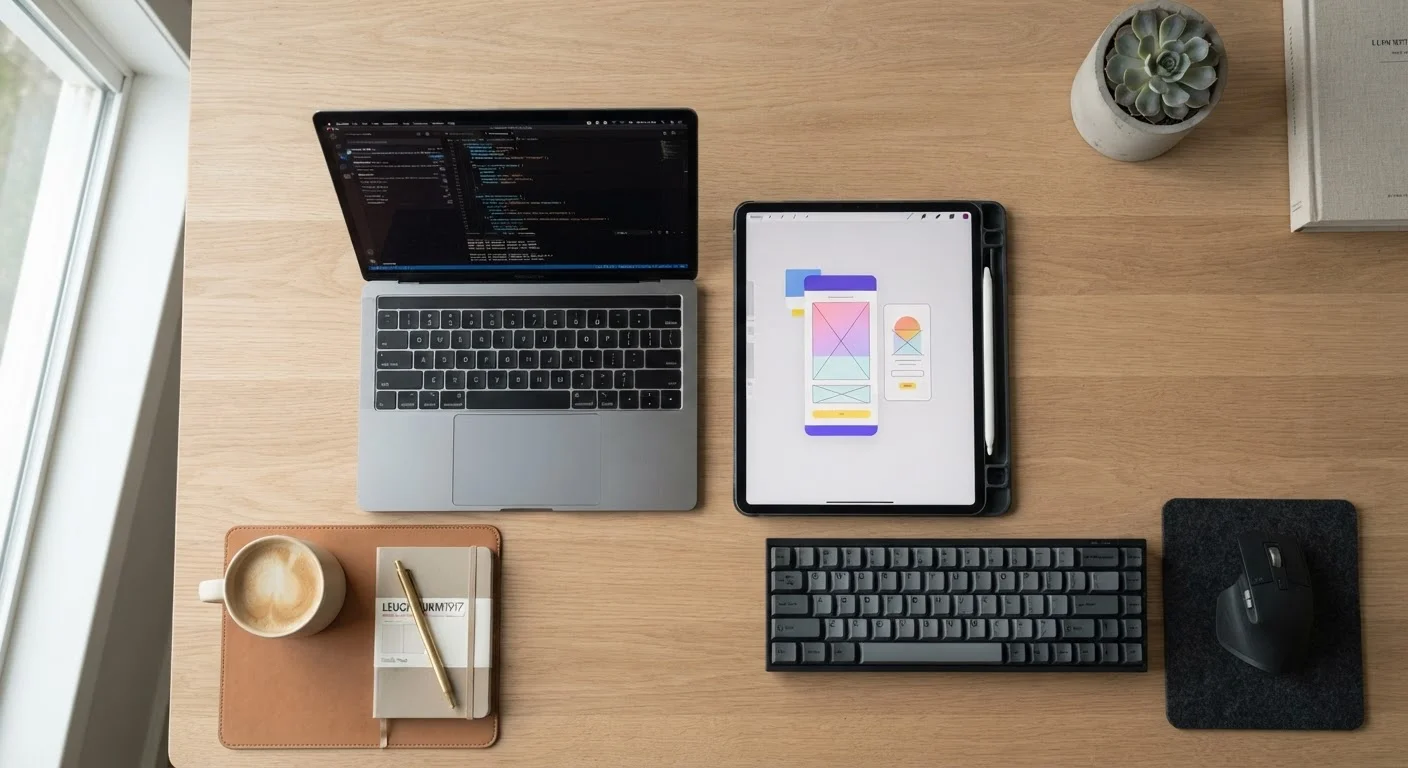
Key Takeaways
- Tablets are optimized for touch input and portability; laptops are built around a keyboard-and-trackpad workflow.
- Laptops generally offer more processing power and software compatibility for demanding tasks.
- Tablets excel at media consumption, reading, and light use - especially for travel or couch browsing.
- Accessories like keyboard cases blur the line, but they don't fully replicate a laptop's experience.
- Your primary tasks - not specs alone - should determine which device you choose.
Option A
Tablet
The portable, touch-first companion.
Best for: Casual browsing, media consumption, reading, and light productivity on the go.
Option B
Laptop
The full-featured, work-ready workhorse.
Best for: Content creation, multitasking, software-heavy tasks, and sustained professional work.
If you mainly browse, stream, and read on the go
Tablet
Tablets are lightweight, have excellent battery life, and handle media consumption tasks natively. They're easier to carry and use casually.
If you write documents, run multiple apps, or use specialized software
Laptop
Laptops provide a full keyboard, more powerful processors, and broader software compatibility - essential for productivity-heavy workflows.
If you're a student who takes notes and submits assignments
Laptop
A physical keyboard and desktop-class browsers and office applications make assignments, research, and communication significantly more efficient.
If you want a device primarily for kids or elderly family members
Tablet
Touch interfaces are intuitive and accessible. Tablets are also easier to manage with parental controls and tend to be more durable under casual handling.
If you need one device that handles everything
Laptop
A laptop remains the more versatile all-purpose device for most adults, covering both creative and administrative tasks without compromise.
What Each Device Is Actually Designed to Do
Tablets and laptops are both portable computers, but they were engineered around fundamentally different assumptions about how people interact with technology. Understanding those assumptions is the fastest path to choosing the right device.
A tablet is built around a touchscreen as the primary input method. The operating system - whether that's iPadOS, Android, or Windows in tablet mode - is designed for tapping, swiping, and scrolling. The hardware prioritizes thinness, weight, and battery endurance. That makes tablets natural for reading, streaming video, video calling, and quick web browsing. Holding one in your hands while watching a show or reading an article feels effortless in a way a laptop never does.
A laptop, by contrast, assumes you'll be typing and navigating with a trackpad for most of your time. The keyboard and pointing device aren't afterthoughts - they're the core of the experience. Laptops also tend to house more powerful processors and more RAM, making them better suited for tasks like editing documents, running multiple applications simultaneously, or using software that simply isn't available in mobile app form. For a deeper look at key specs like RAM, processors, and storage, our plain-language tech glossary breaks down the terminology you'll encounter when comparing devices.
Head-to-Head: Key Differences That Matter
Specs tell part of the story, but how these devices behave in everyday use matters more. Here's how tablets and laptops stack up across the dimensions consumers care about most.
| Criterion | Tablet | Laptop |
|---|---|---|
| Primary input method | Touchscreen | Keyboard and trackpad |
| Typical weight | 1-2 lbs | 3-6 lbs |
| Battery life | Often 10-12+ hours | Typically 6-10 hours |
| Processing power | Moderate (mobile chips) | Higher (desktop-class CPUs) |
| Software ecosystem | Mobile and web apps | Full desktop applications |
| Multitasking | Limited by OS design | Strong, multiple windows |
| Best use scenario | Consumption and casual use | Creation and professional work |
One area worth calling out is software compatibility. Laptops running Windows or macOS can run full desktop applications - professional design tools, accounting software, coding environments, and more. Tablets run mobile or web-based apps, which are improving rapidly but still lag behind desktop software in functionality and flexibility for complex tasks.
When the Lines Blur
Some devices - like certain Windows tablets and 2-in-1 convertibles - run full desktop operating systems on tablet-style hardware. These hybrid devices can perform closer to a traditional laptop than a standard tablet. If you're evaluating a device that falls into this category, focus on the operating system and software it runs rather than its physical form factor alone.
The Keyboard Case Question
Many tablet makers sell keyboard accessories that appear to transform a tablet into a laptop. These can genuinely expand what a tablet can do - adding a physical keyboard makes typing long documents significantly more comfortable. But a tablet with a keyboard case is still a tablet running a touch-first operating system. Trackpad support has improved considerably on modern tablet platforms, but the overall software ecosystem and multitasking experience typically still trails a purpose-built laptop.
Think of a keyboard-equipped tablet as a capable compromise for someone who does mostly light work with occasional heavier lifting - not as a straight replacement for a laptop if your daily workflow depends on full desktop software.
Whatever device you end up with, proper care habits will extend its useful life. Our guide on caring for your gadgets covers charging, storage, and cleaning practices that apply equally to tablets and laptops.
Matching the Device to Your Life
The most important question isn't which device is objectively better - it's which one fits how you actually spend your time. Think about the tasks you do most often and where you do them.
- Primarily at a desk, creating content or using work apps: A laptop is the stronger choice.
- Mostly on the couch, in bed, or traveling light: A tablet handles this more comfortably.
- Shared household use for kids and entertainment: A tablet's intuitive touch interface and manageability make it practical.
- Hybrid work or school use: A laptop typically supports more complex workflows, though a capable tablet with a keyboard case can work for lighter loads.
Some households find that having both devices - a tablet for leisure and a laptop for work - makes sense. Others need only one. The key is being honest about how you use technology day to day rather than buying for hypothetical scenarios.
If you're thinking about connectivity alongside your device choice, our Phones & Plans hub covers how mobile data plans and devices work together - useful if you're considering a tablet with cellular capability.